TikTok Studio
TikTok Pte. Ltd.Video Players & Editors
4.55.38K Reviews
- Version
- 44.6.3
- Installs
- 100.00M
- Age Rating
- Teen
Screenshots
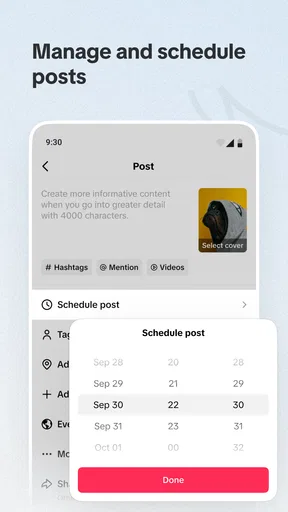
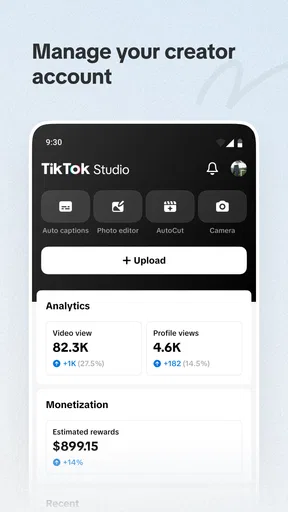
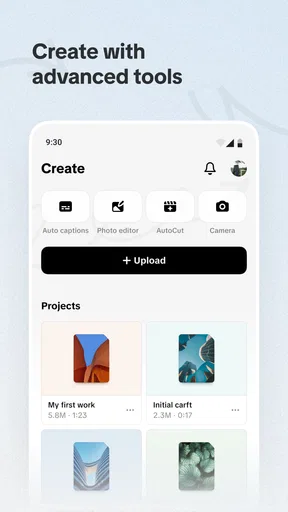
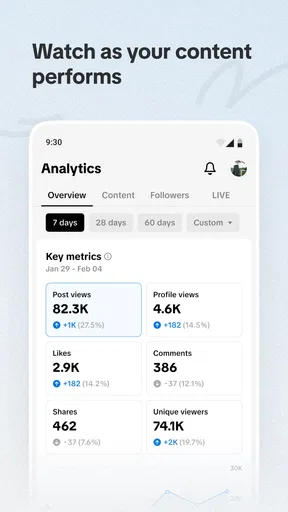
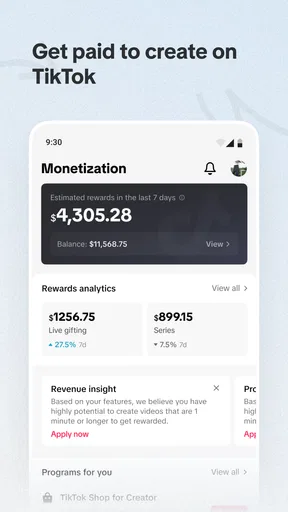
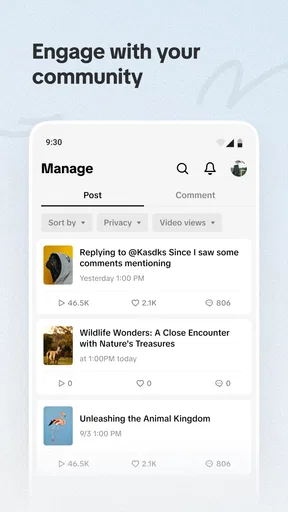
Our Review of TikTok Studio
 Analysis by Appyee
At home, a phone can be a shared screen even when the accounts on it are personal. I think that distinction matters with TikTok Studio: it is a creator tool for making and managing TikTok content, not a general-purpose video editor for everyone in the household. If one person is preparing clips while others use the same device, a little care around whose profile is active can prevent an awkward mix-up when work moves from editing to publishing.
A shared phone needs a clear account handoff
Before starting a session, I would agree on who is using the app and check that the intended TikTok profile is connected. That small pause is useful on a family tablet or a phone passed between partners: drafts, account activity and publishing decisions belong to the account holder, so another person should not assume the space is a shared family workspace. I would also avoid leaving a signed-in creator app open for the next person to explore casually.
This is less about complicated setup than about keeping a clean boundary. If two people make videos for different accounts, treating each editing session as separate helps avoid confusion over which profile will receive a finished post. When the device changes hands, the account holder should take responsibility for confirming the active profile before making any account-level changes or publishing.
Useful for creators who work in short sessions
The app makes most sense when someone already has a reason to create for TikTok and wants a dedicated place to work on that activity. A small business owner might prepare a quick product demonstration between customer tasks; a student creator could gather a short explainer from phone footage; someone who posts a hobby clip now and then may prefer to tidy it up before sharing. In each case, the value is having a creator-focused companion rather than opening a broad editor and rebuilding the same workflow from scratch.
It is also a better fit for a person who likes to make decisions while shaping a post. A quick trim, a change in pacing, or a sound choice can be easier to judge when the intended destination is TikTok. I would not treat that convenience as a promise that every video will look polished automatically, though. Good results still depend on the footage, the idea and the creator’s judgement about what to leave out.
Where it sits among video-editing choices
Compared with a general mobile editor, TikTok Studio’s natural advantage is its connection to TikTok creation. A general editor can make more sense when I need a project that will be reused across several platforms, when I want to keep a platform-neutral master, or when another editor already fits my established routine. For a creator focused mainly on TikTok, staying close to the publishing destination can reduce unnecessary steps.
That focus is also a trade-off. This is not the first app I would choose for someone who only wants to cut a family holiday video, build a polished presentation, or edit clips without using TikTok. In those situations, a standard editor may feel more appropriate and less tied to a creator account. The right choice depends less on which app has the longest feature list and more on where the finished video is going.
Age and trust are part of the decision
TikTok Studio is rated for teens, so I would consider age in context rather than treating the rating as a substitute for household judgement. A teen who already creates videos may find a dedicated workspace useful, while a parent may want to talk through account ownership, what gets shared publicly, and the difference between preparing a clip and publishing it. Those conversations are more practical than assuming that editing tools alone make posting decisions safe.
For younger household members, I would keep the account holder involved in the process and make sure they understand which profile they are using. The app is made by TikTok Pte. Ltd., and its purpose is closely connected to creating for TikTok; it should not be mistaken for a neutral shared scrapbook. If the goal is simply to store or edit family videos privately, I would choose a tool designed around that need instead.
As an app in the video-player and editor space, TikTok Studio is free, has a 4.7 average from around 384,000 ratings, and has passed 50 million installs. Those figures suggest that it has reached a large audience, but they do not tell me whether it suits a particular household. I would judge it by the creator’s workflow and the account boundaries the household can maintain.
One practical routine I like is to separate capture, editing and publishing into distinct moments. A creator can gather footage during the day, review and assemble it when there is time, then check the active account and final clip before sharing. That pause is especially helpful when someone else has recently used the device or when a video includes other people. It turns a rushed tap into a considered choice without making casual creation feel like a chore.
Have you ever found yourself scrolling through TikTok and wondering how some creators make their videos look so professional? Well, the secret might just be in an app called TikTok Studio. Let me take you through my experience with this powerhouse of a tool that’s designed to turn your TikTok game up a notch.
Getting Started with TikTok Studio
First things first, diving into TikTok Studio is like opening a treasure chest of editing features. When I first launched the app, the interface struck me as clean and user-friendly, which is a huge plus when you’re dealing with a mobile screen. You’ll find everything neatly organized, so even if you’re a newbie, you’ll feel right at home.
Setting up your account is a breeze. Just link it with your TikTok profile, and you’re good to go. The app offers a seamless experience, syncing beautifully with your existing content. I was up and running in just a few minutes, ready to explore all the creative possibilities.
Features Galore
Now, let's talk features. Oh boy, does TikTok Studio deliver! From basic trimming and cropping to more advanced options like transitions, effects, and filters, it’s all here. The app even has a collection of trendy music and sound effects to spice up your videos.
One feature I absolutely loved was the multi-layer editing. It lets you stack videos, images, and soundtracks, giving you the flexibility to create complex edits. Whether you’re working on a dance video or a storytelling clip, this feature is a game-changer. I spent hours experimenting with different layers and honestly, it was a blast.
Smooth Performance and User Experience
I’ve used quite a few editing apps before, and I can say without a doubt that TikTok Studio stands out for its smooth performance. The app didn’t lag or crash, even when I was juggling multiple layers and effects. It’s optimized for both Android and iOS, so no worries if you switch devices often.
The app’s responsiveness makes editing on-the-go super convenient. You can tweak your videos during a commute or while waiting for your coffee. I often found myself editing bits and pieces here and there throughout the day, and it never felt like a chore.
Final Thoughts
So, is TikTok Studio worth the download? In my book, absolutely! It’s packed with features that cater to both budding and seasoned creators. The ease of use, combined with powerful editing tools, makes it a must-have for anyone serious about upping their TikTok content.
If you’re looking to create professional-looking videos with minimal hassle, this app could be your best friend. Ready to give your TikTok content a fresh spin? Download TikTok Studio and let your creativity flow!
Small workflow choices make a difference
Layered editing is especially handy when the video needs more than one kind of material: for example, a person speaking over supporting footage, or a sequence that alternates between a clip and a still image. My tip is to decide the story order before adding decorative effects. When transitions and filters come first, it is easy to spend time polishing moments that do not help the point of the video. A simple rough cut gives every later choice a clearer purpose.
Sound deserves the same attention. A music track can make a short clip feel more deliberate, but it can also compete with spoken words. I would listen once with the sound on and ask whether the voice remains easy to follow, rather than assuming a popular-sounding track improves every edit. For a tutorial or an explanation, clarity may matter more than atmosphere; for a visual montage, the balance can reasonably go the other way.
Editing in fragments suits quick clips, but it is not always the best way to judge pacing. A cut that feels fine while working on one section may drag when watched from beginning to end. Before sharing, I would replay the complete sequence and check the opening, the transitions between ideas and the ending. That final uninterrupted viewing is a simple quality check, particularly when a post has several layers.
Know when a different tool is the better fit
If you are comparing options, ask what you need after the edit. For a TikTok-first creator, a dedicated companion can keep the work close to the place where the content will be used. For someone who edits the same footage for several social platforms, a general editor may be more convenient because it can serve as a neutral starting point. And if you mainly want to crop a clip once in a while, a larger creator workflow may be more than you need.
I would also skip it if you do not want to connect your editing routine to a TikTok profile, or if the main priority is a shared family video library. The app’s strengths are tied to creator work, not to organizing everyone’s personal footage. On the other hand, for a person who regularly plans, edits and publishes TikTok videos, having editing tools and creator activity in one focused environment is a sensible reason to try it.
The current version is 41.9.1, and it requires Android 6.0 or later. It was released on May 28, 2024, and its listed price is free. That makes trying it straightforward for compatible Android users, while the account and workflow questions remain more important than the download decision itself. I would start with one low-stakes video, learn where the editing controls fit into my routine, and only then decide whether it deserves a regular place on the phone.
A measured household verdict
For a household, I see TikTok Studio as a useful specialist tool rather than an app everyone needs to share. It can help the person responsible for a TikTok account turn raw clips into a more considered post, and its editing options give room to shape the result instead of relying on a single quick cut. The best experience comes when each creator knows which account they are working with and has time to review the finished video before publishing.
I would recommend it to an active TikTok creator, including a teen whose posting habits are discussed openly at home, or an adult who wants to prepare clips without moving between unrelated tools. I would not recommend it as a default editor for every family member, nor as a substitute for a broader editor when content needs to travel across platforms. Used with clear account boundaries and a little care at the final review stage, it can make a creator’s routine easier without turning every shared phone into a shared publishing account.
Privacy and Permissions
See what permissions an app requests and how it handles your data.
- Contacts
- read your contacts
- Location
- approximate location (network-based), precise location (GPS and network-based)
- Photos/Media/Files
- read the contents of your USB storage, modify or delete the contents of your USB storage
- Storage
- read the contents of your USB storage, modify or delete the contents of your USB storage
- Camera
- take pictures and videos
- Microphone
- record audio
- Wi-Fi connection information
- view Wi-Fi connections
- Other
- view network connections, pair with Bluetooth devices, change network connectivity, full network access, change your audio settings, control Near Field Communication, reorder running apps, set wallpaper, draw over other apps, control vibration, prevent device from sleeping
Verdict
Strengths of TikTok Studio
- User-friendly interface for easy editing.
- Wide range of filters and effects.
- Supports high-quality video exports.
- Integrated with TikTok for seamless sharing.
- Regular updates with new features.
Limitations of TikTok Studio
- Some features require in-app purchases.
- Can be resource-heavy on older devices.
- Limited offline functionality.
- Occasional crashes reported by users.
- High storage usage for saved projects.
Other Releases by TikTok Pte. Ltd.
View All
TikTok - Videos, Shop & LIVE
Social4.0

TickTock-TikTok Live Wallpaper
Tools4.7

TikTok Shop Seller Center
Shopping4.3

PineDrama - Short Dramas
Entertainment4.6
Similar Picks in This Category
View All
Google TV
Google LLC3.9

iTunes
Apple4.7

YouTube
Google LLC3.8

MX Player
Amazon Mobile LLC4.2

CapCut - Video Editor
Bytedance Pte. Ltd.3.5

PLAYit-All in One Video Player
PLAYIT TECHNOLOGY PTE. LTD.4.5
Frequently Asked Questions
What is TikTok Studio and how does it differ from regular TikTok?
TikTok Studio is an advanced version of the popular TikTok app, designed for creators who wish to have more control over their content production. Unlike the standard TikTok app, TikTok Studio offers enhanced editing tools, professional-grade effects, and the ability to manage multiple projects simultaneously, making it ideal for serious content creators.
What are the key features of TikTok Studio?
TikTok Studio boasts a range of features including advanced video editing tools, customizable filters, and sound effects. It also offers multi-layer editing, green screen capabilities, and collaboration options for group projects. These features provide creators with greater flexibility and creativity in producing high-quality content.
Is TikTok Studio free to use?
TikTok Studio offers a free version with basic features, but to access the full suite of advanced tools, users may need to subscribe to a premium plan. The premium version unlocks additional features like higher resolution exports, more storage, and exclusive effects, providing more value for professional creators.
How user-friendly is TikTok Studio for beginners?
TikTok Studio is designed with a user-friendly interface, making it accessible for both beginners and experienced users. It includes tutorials and guides to help new users get started and make the most of its features. However, beginners may need a bit of time to explore all the advanced tools available.
What devices are compatible with TikTok Studio?
TikTok Studio is available for both Android and iOS devices, and it's optimized for use on tablets and smartphones. The app requires a relatively modern device to run smoothly, with specific system requirements listed on the app's download page to ensure compatibility and optimal performance.
